
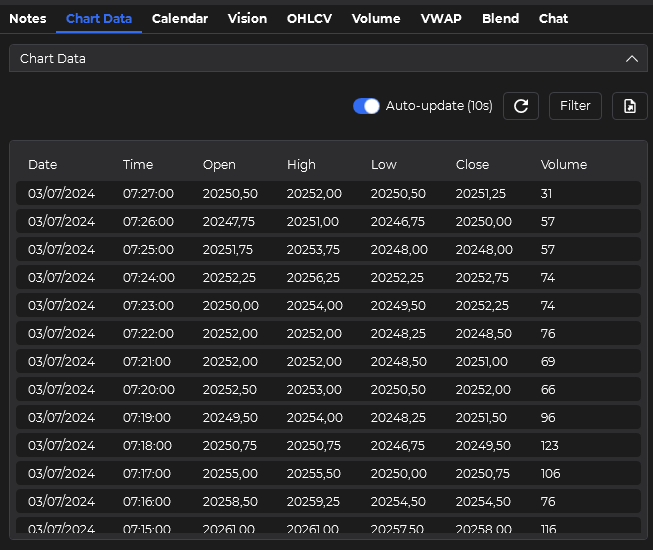
Send the chart you are looking at to AI
OHLCV, VWAP, volume profile, drawings, indicators, and screenshots go to your provider together, so the setup never has to be rebuilt by hand in a chat window.
Your NinjaTrader chart, connected to your AI
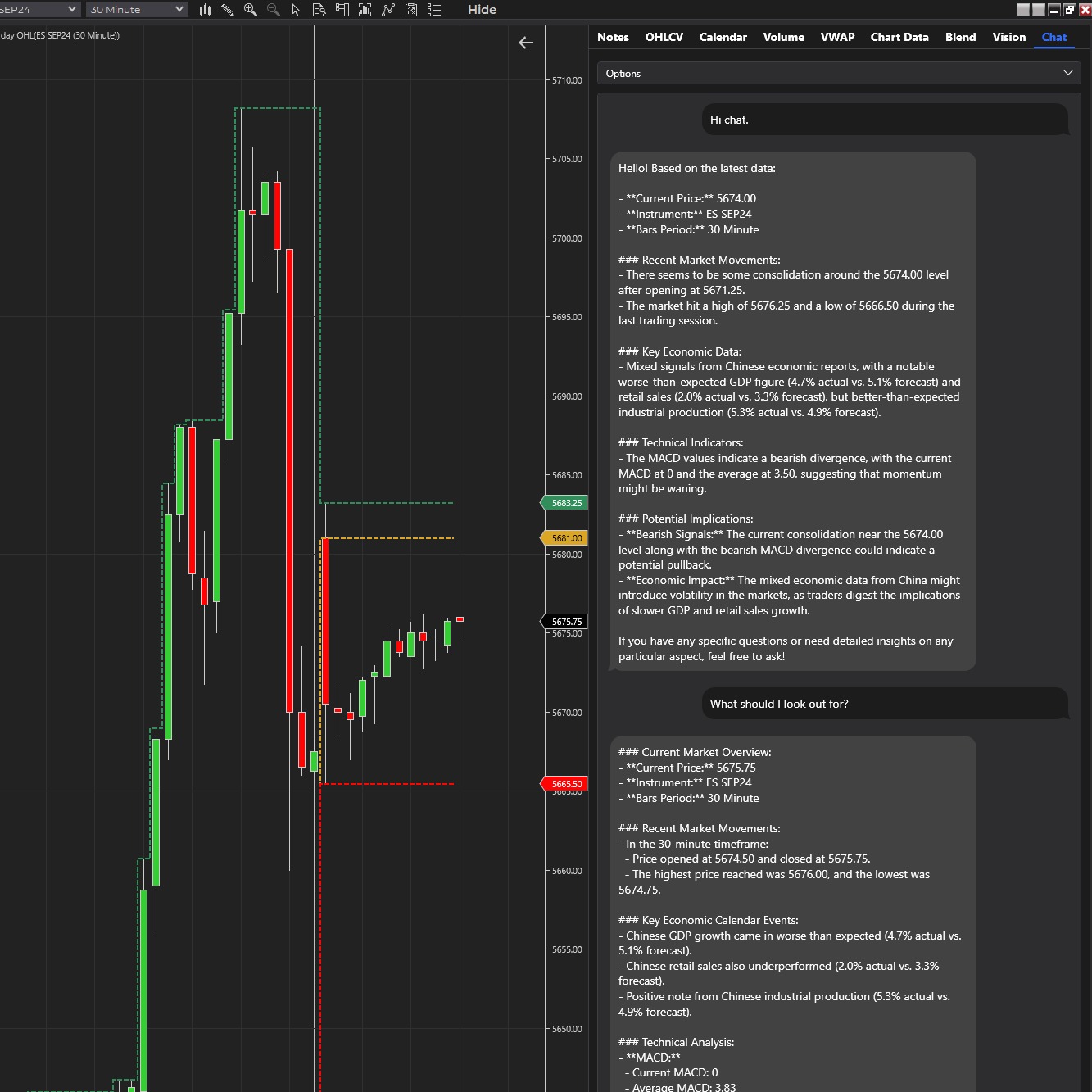
Your AI model is powerful, but it starts blind. ChartGPT sends your chart context (OHLCV, VWAP, volume profile, drawings, screenshots, prompts, notes, and calendar data) from NinjaTrader straight into your own AI provider. You bring the key. ChartGPT brings the chart.
See it in action
Two-minute walkthrough of the chart-aware analysis workflow: chart data, screenshots, prompts, notes, and bring-your-own-key models in one panel.
"It helped me turn the chart into a structured conversation instead of forcing trades from a messy read."
Benediktas GlinskisWhat it does
Getting the chart into the model is the hard part. ChartGPT sends the whole chart context and your prompt in one round-trip, from the chart you are already looking at.
OHLCV, VWAP, volume profile, drawings, indicators, and screenshots go to your provider together, so the setup never has to be rebuilt by hand in a chat window.
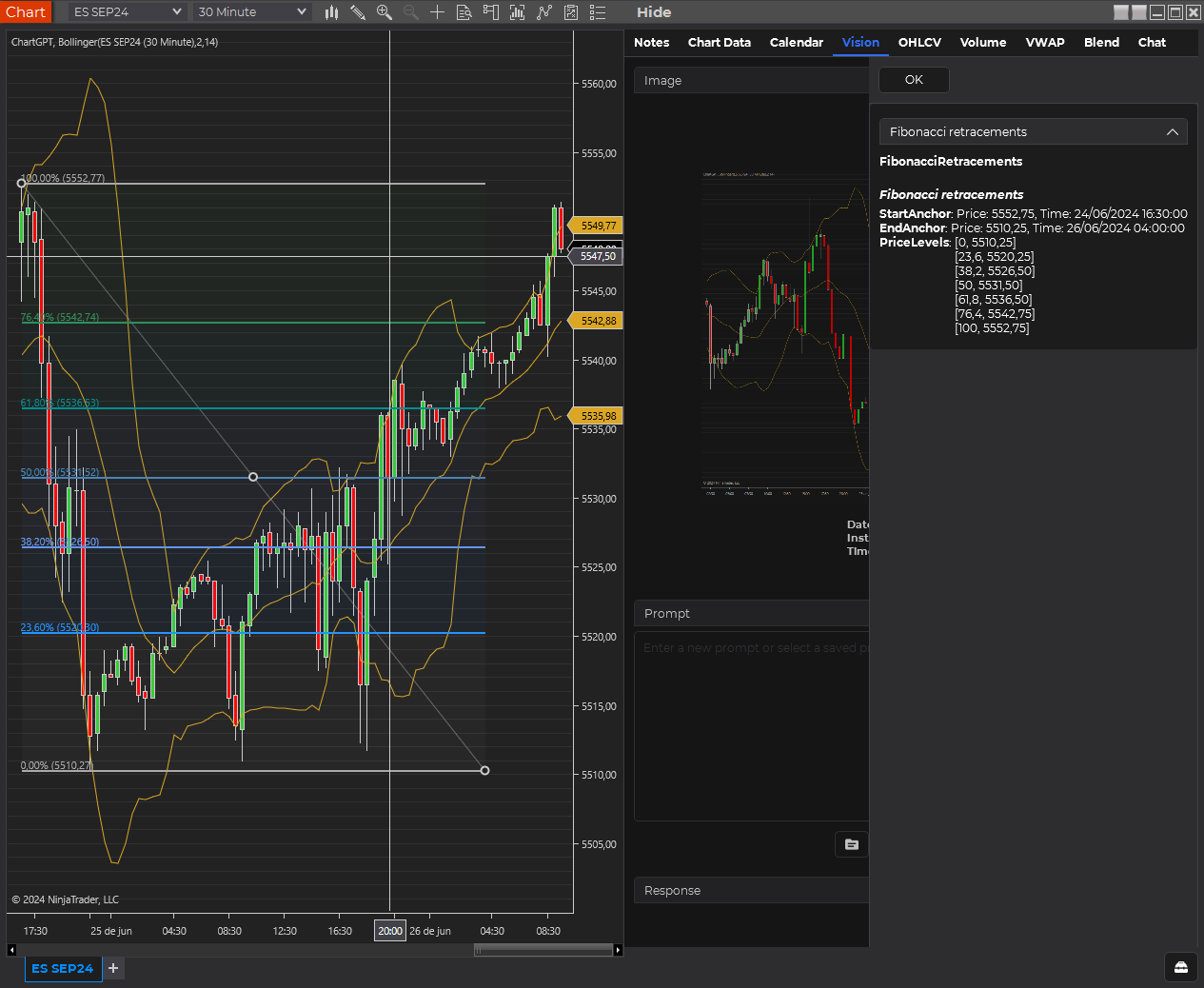
Capture the chart with its drawings (trendlines, levels, fibs) and send the picture to a vision-capable model so the AI sees the same screen you are trading from.
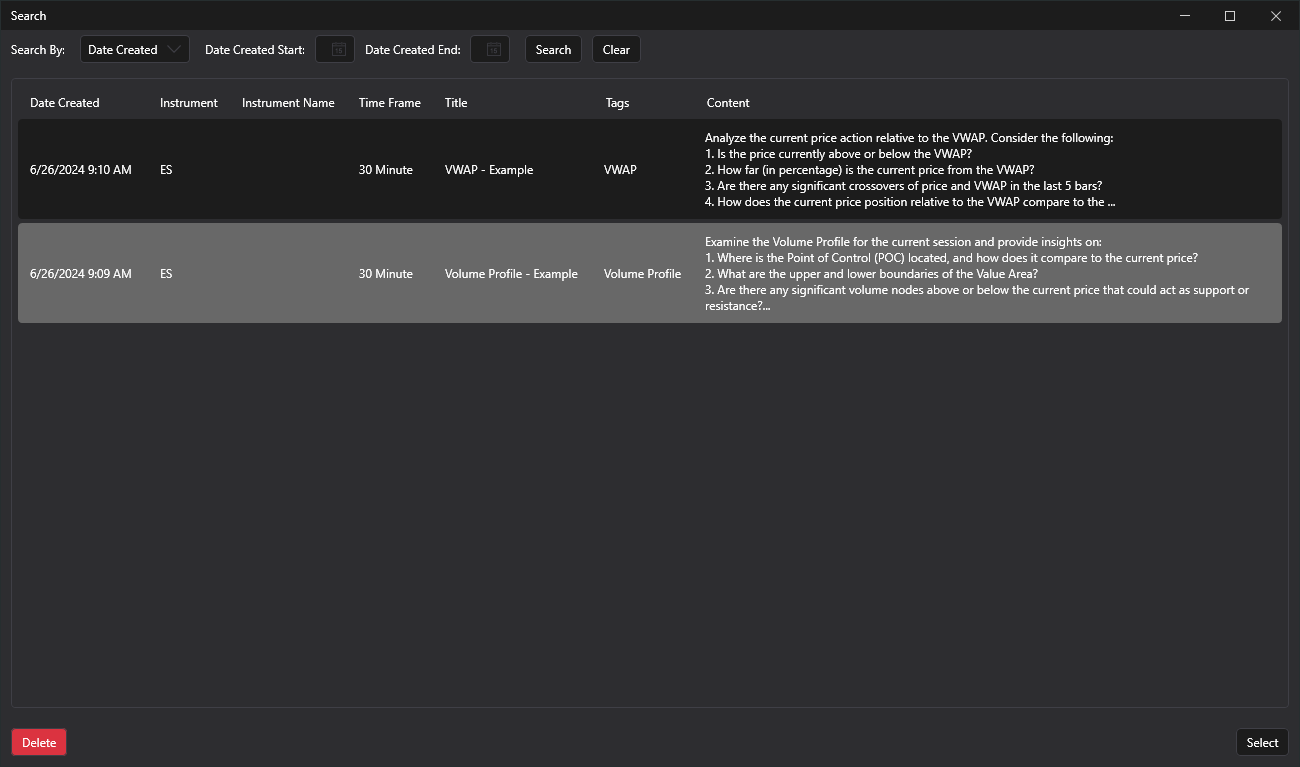
Reuse the prompts that work, log notes against each session, and keep a history of the questions you asked when the setup was still fresh.
In the box
Built for traders who want a structured analysis partner inside NinjaTrader: review the data, interrogate the visual structure, save the prompts that work, and turn observations into clearer decisions instead of another copy-and-paste loop.
Bring your own AI key
ChartGPT plugs into the providers you already use. Pick the text or vision model that fits your workflow, billed to your own provider account.


Questions before you buy
ChartGPT is sold as a one-time lifetime license. You bring your own AI provider API key. One user per license.
Open full FAQChartGPT is a NinjaTrader 8 indicator. It packages the chart data, screenshots, drawings, notes, and your prompt and sends them to your AI provider, so you can ask AI about the chart you are actually trading without leaving NinjaTrader.
You connect your own OpenAI, Anthropic, Google, or OpenRouter key. ChartGPT uses the provider and model you choose inside the app.
One user license, the full NinjaTrader 8 ChartGPT workflow (chart data, vision, chat, notes, prompts, calendar tools), lifetime software updates, and 12 months of standard support.
Yes. ChartGPT is built for NinjaTrader 8.
No. Each license is for one user. License sharing, resale, sublicensing, and multi-trader use are not permitted. Trading rooms, prop firms, and commercial desks need a separate commercial license, so contact us for that.